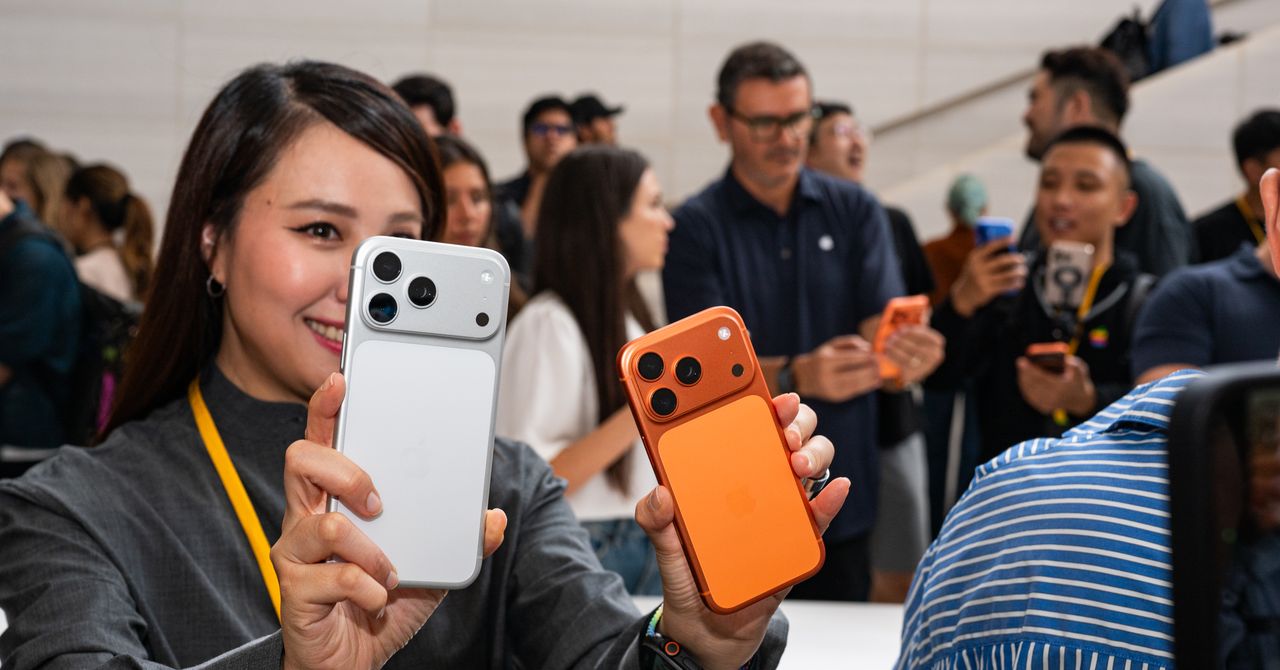
With Apple’s current crop of iPhones, things are quite different for the first time in a while. The base iPhone 17 still feels familiar, but the iPhone 17 Pro models have a completely new look, and there’s a new model called the iPhone Air. The “Air” branding has been somewhat diluted of late—the current-gen iPad Pro models are lighter than the iPad Air—but the iPhone Air brings meaning back to the original idea: a super-thin and ultralightweight device. Rounding it all out is the budget iPhone 17e.
The new phones are officially on sale. If you’re considering an upgrade, which iPhone 17 model should you get? I’ll break down the key differences and similarities among the iPhone 17 lineup, so you can make an informed choice. Don’t forget, these aren’t the only iPhones that Apple sells—read our Best iPhones guide for all of your options. And check out our Best iPhone 17 Cases guide for ways to keep your new handset in pristine condition.
Updated March 2026: We’ve added the iPhone 17e.
Table of Contents
You Don’t Need to Upgrade
If you have an iPhone from just a few years ago, you probably don’t need to upgrade to Apple’s latest, unless your device has issues. Even then, there are things you can do to fix your iPhone, like getting a battery replacement, or you can try some of these troubleshooting steps. The point is, you shouldn’t feel the need to upgrade just because Apple has a new model.
If you’re set on buying an iPhone 17 model, we have a guide on how to sell your iPhone so that it doesn’t just collect dust in a drawer. When your new device arrives, back up your old iPhone before switching to the new one, then follow our guide on factory-resetting your device before selling or giving it away. We also have tips on how to set up your new iPhone and what settings to change to get the most out of it.
Which iPhone 17 Is Right for You?
-

Photograph: Julian Chokkattu
-

Photograph: Julian Chokkattu
-

Photograph: Julian Chokkattu
Apple
iPhone 17, iPhone Air, and iPhone 17 Pro
Let’s quickly talk about the similarities across all the iPhone 17 models this year, and yes, that includes the iPhone Air, even if it doesn’t have “17” in the name.
The Display
Although iPhones differ in screen size, they all feature an OLED screen (Apple refers to it as a Super Retina XDR display). All of these devices, except for the iPhone 17e, employ ProMotion technology. This is the first time the non-Pro models have ProMotion, which is essentially a 120-Hz refresh rate.
A high refresh rate has been a common feature on Android phones for a while, but it means your display refreshes 120 times per second rather than 60, like on the iPhone 16, so everything you do will feel smoother. (We have a broader explainer here.) These are adaptive refresh rates that can drop as low as 1 Hz when there’s little activity on the screen, which is why the iPhone 17 and iPhone Air now support the always-on display. That does mean that, yes, the iPhone 17e does not have the always-on display.
Apple also says there’s a new Ceramic Shield 2 front glass that’s three times more scratch-resistant than before, and a new antireflective coating to reduce glare. These screens can also hit up to 3,000 nits of peak brightness, meaning it’ll be easier to read your iPhone screen on sunny days, though the iPhone 17e caps it at 1,200 nits to hit that lower price.
Gear,Gear / Buying Guides,Gear / Products / Phones,Apples to Applesshopping,apple,iphone,buying guides,ios,smartphones,phones#iPhone #Model #Buy1772660698

Recent Post



Gallery






Featured Videos